Game Mechanics
This page will explain the workings of the game, such as controls, the timer, HUD, game objectives and lose conditions.
Controls
The car, while always moving forward, can be turned 180 degrees to make your way across the levels, while being able to change up and down gears which allows you to go faster or slow down.
Up Arrow Key Down Arrow Key Left Arrow Key Right Arrow Key P Key | Change up a gear to go faster. Change down a gear to decrease speed. Steer left. Steer right. Pause/Unpause the game |
Timer
During each level, a timer will be counting up. Your job is to set as fast a time as you possibly can. If you go over the maximum allowed time, you lose a life, go back to the beginning of the level and the timer is reset.
HUD
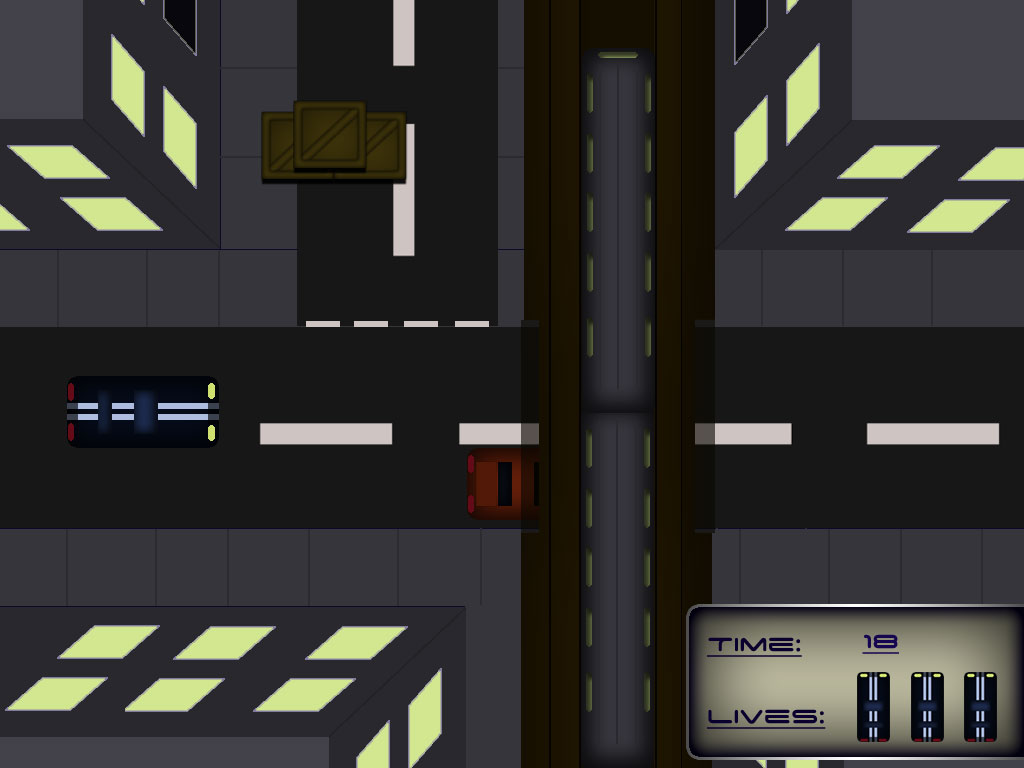
As shown, at the bottom right of the screen, the Time and number of Lives left are clearly displayed while not taking up a lot of screen space.
Game Objectives
The sole objective of this game is to make it to the end of the second level as fast as you can. Lives will be lost for driving into other vehicles and hazards and for not making it to the safehouse before the levels time limit.
Upon reaching the final safe house in time, the player will be presented with a screen congratulating them for reaching the end of the game.
Lose Conditions
As previously mentioned, by driving into other vehicles and objects, lives will be lost. A life will be lost if the player has not reached the safe house before the maximum allowed time allowerd for that level.
The player is given 3 lives at the start of the game, these 3 lives are to last over the 2 levels. If all lives are lost then the player is presented with the game over screen.
Sounds
In keeping with the simplicity of the gameplay, the sounds used will be simple, royalty free sounds and some recorded sounds for the vehicles keeping the feel of the retro feel of the game.
Software needed
- Audacity
- Photoshop CS3
- Python/Pygame
